
Your Safe Harbor for Remote SSH
Built Natively for macOS
Know your servers before you ask.
Server stats always visible. Visual folder navigation. Parameterized commands saved safe.
Plus an AI copilot that works in the open.
Demo Video Coming Soon
Everything you need. Always visible.
Always ready.
Server stats on sight. Folders at a click. Commands saved safe. The terminal experience remote work deserves.
Server Stats. Always On.
CPU spiking? Running out of RAM? You'll know before you ask. Bay Terminal shows your server's vital stats in real-time, always visible, never hidden behind commands. Click any metric for instant diagnostic commands. Color-coded health indicators show you what needs attention, when it needs attention. This is the information you always wanted at your fingertips.

Visual Navigation. Shell Follows.
Navigate remote servers visually. Click folders, preview contents, and watch your shell follow automatically. You're not running ls. You're seeing orientation. No more memorizing directory structures or typing cd repeatedly. This is how navigation should have always worked.
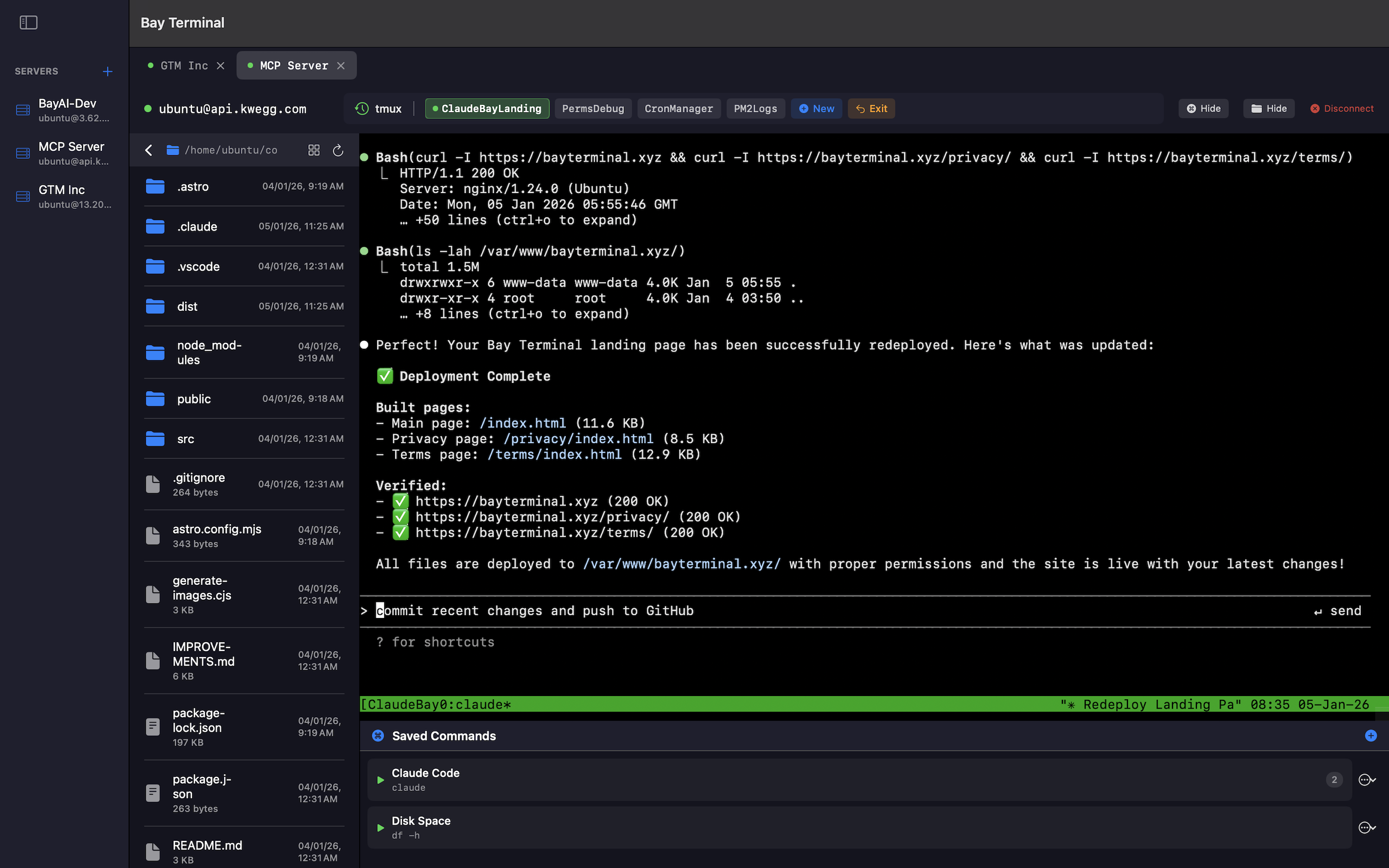
Commands Saved. Variables Built In.
Save commands with {{variables}} that prompt for input when you run them. Kill service on port? Just type the port. Grep logs for an error? Enter the keyword. No retyping, no syntax errors on production. Group by category, track usage, and run trusted workflows with one click. Commands that adapt to the moment, saved once for every situation.
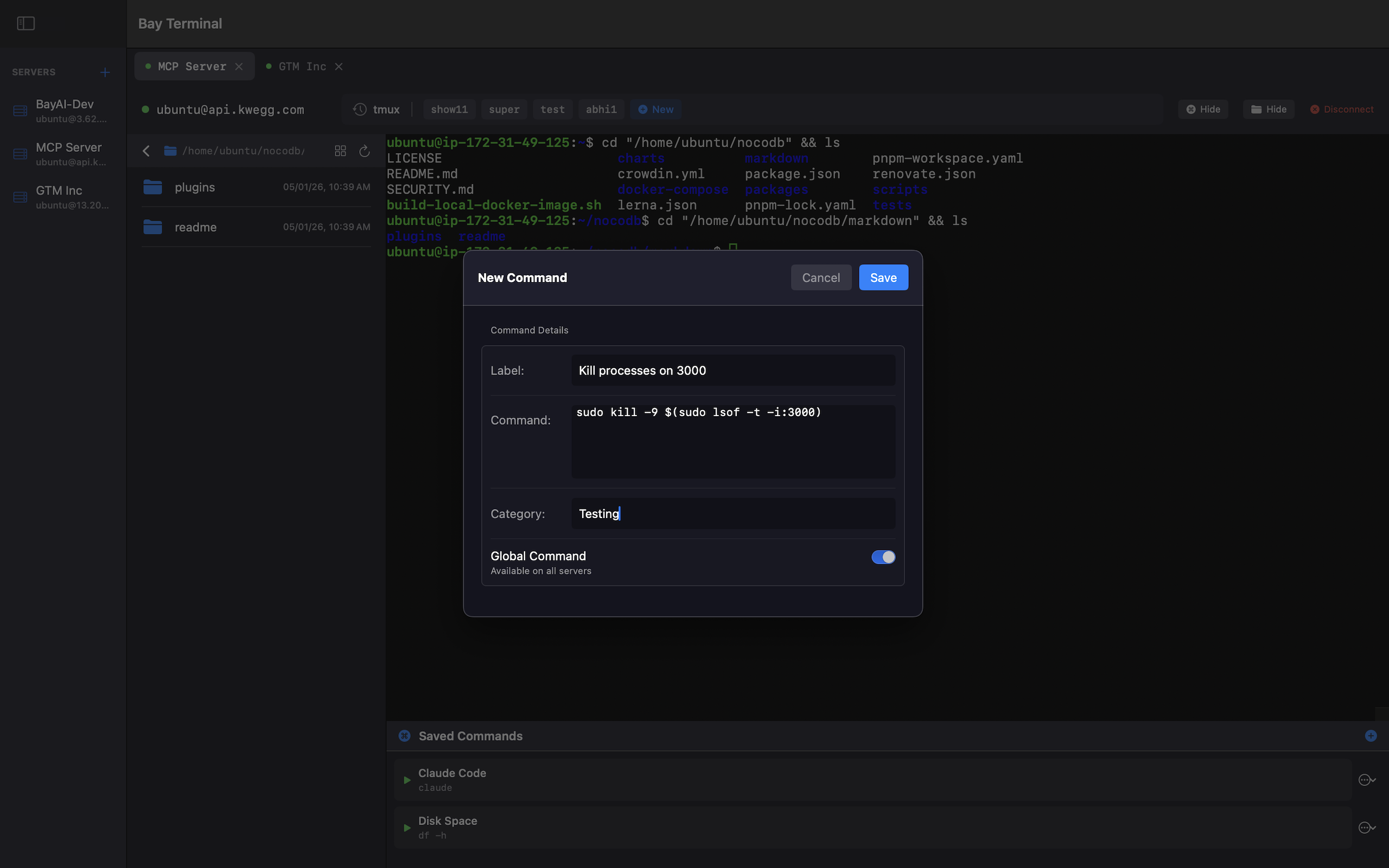
Sessions That Never Die.
Built-in tmux integration means your sessions persist. Close your laptop, disconnect from WiFi, or restart your Mac. Your work survives. Create, switch, and manage sessions with visual chips and menus. Reconnect instantly to exactly where you left off. You never have to think about tmux. It just works.
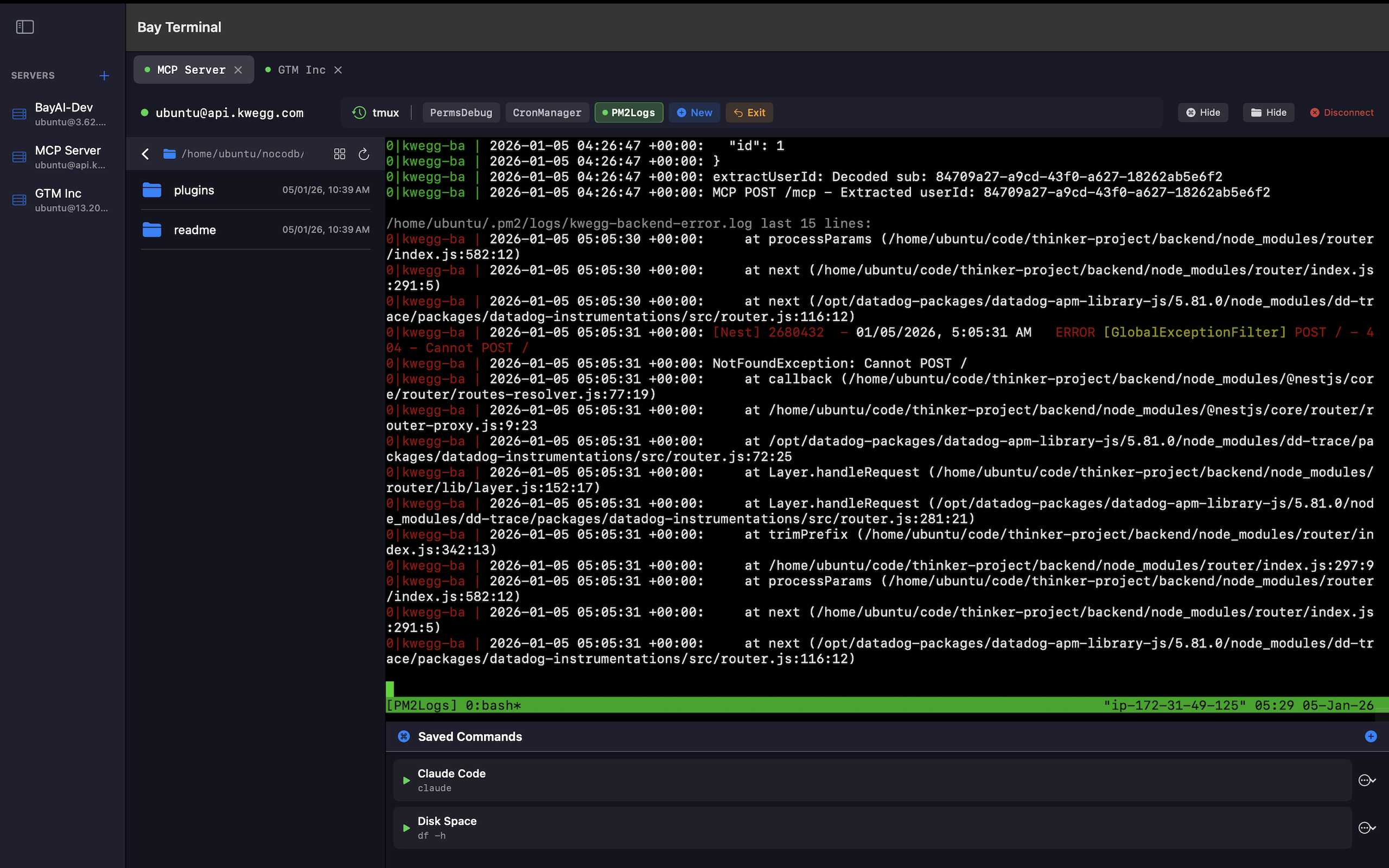
Upload. Download. Track Progress.
Move files between your Mac and remote servers without leaving the terminal. Right-click any file to download, or upload from the toolbar. Real-time progress bars show exactly where you are. Cancel anytime. No separate FTP client needed. No command-line scp incantations. Just point, click, and transfer.
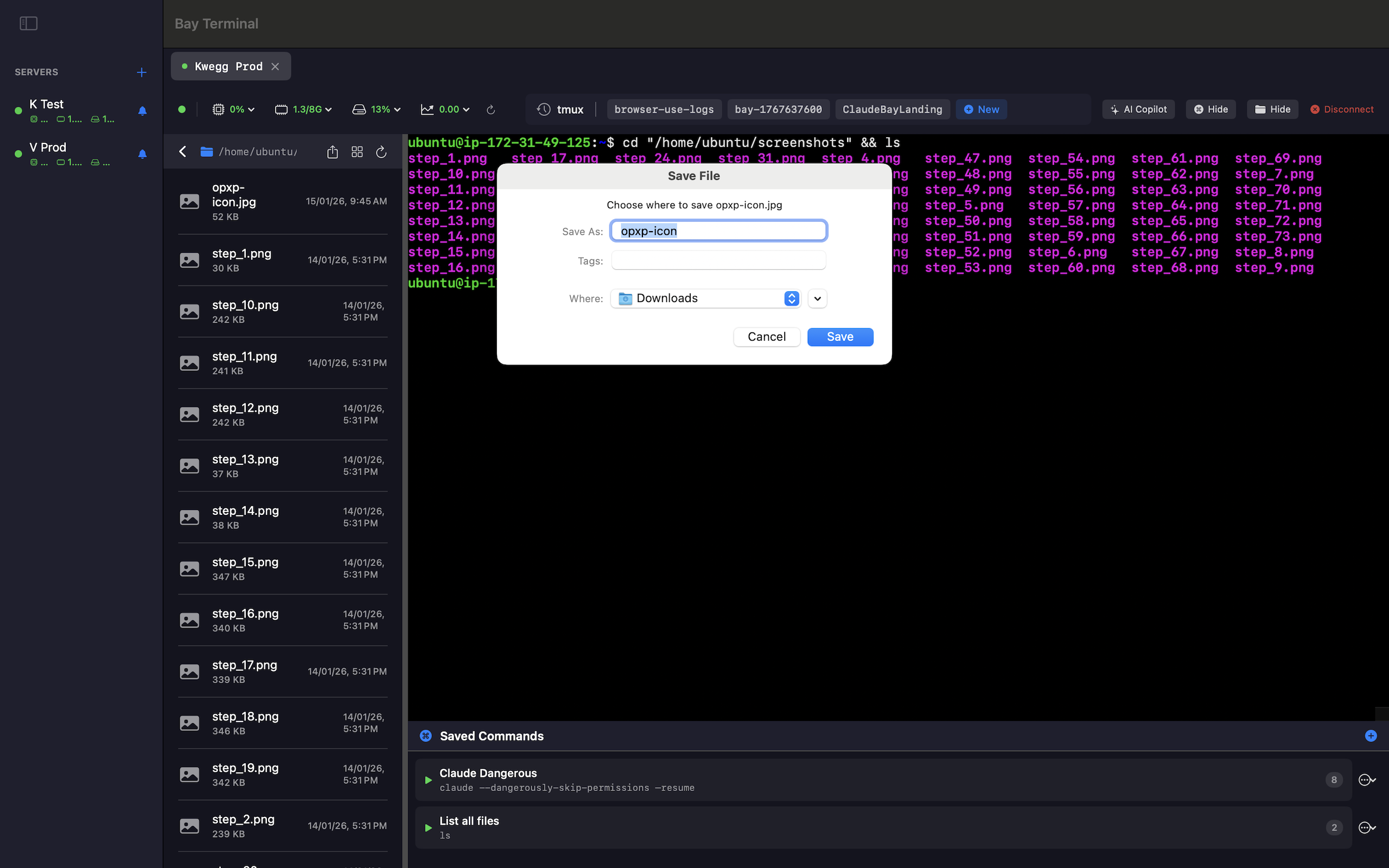
Plus: AI That Works in the Open.
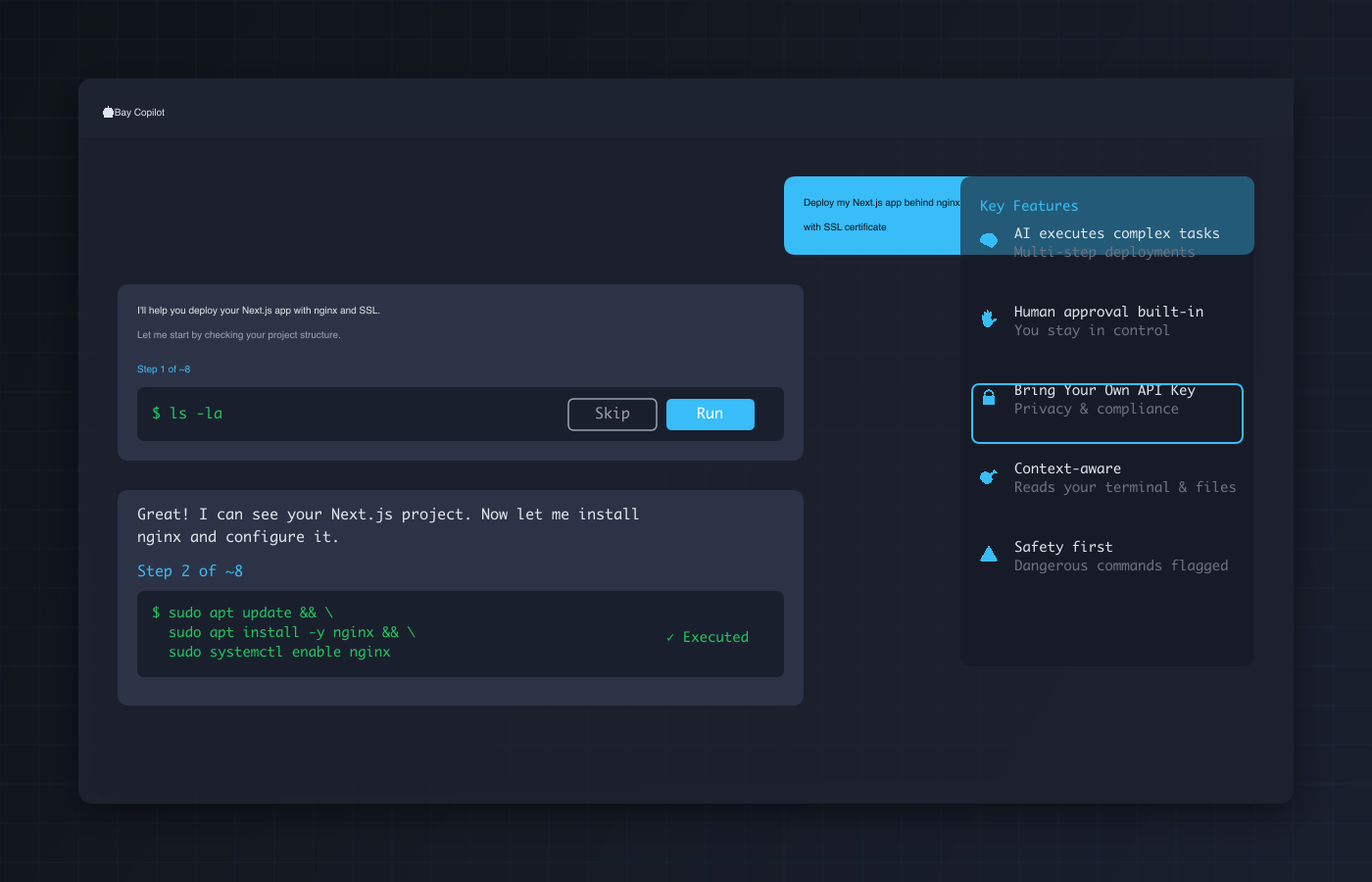
Deploy apps, debug issues, configure services. Just describe what you want. Bay Copilot executes commands directly in your visible terminal, so you see everything happening. Unlike other AI tools that hide execution in black boxes, every command runs where you can watch it. Approve each step manually, or switch to autonomous mode. BYOK for unlimited usage, complete privacy, and full compliance.
File Explorer + Terminal Sync
Navigate visually, execute naturally. Click folders in the explorer and watch your terminal follow automatically.
Multi-Server Workspace
Manage all your SSH servers in one place. Visual sidebar and tabs for instant switching between connections.
Built in Native Swift
Pure Swift for macOS. Fast startup, low memory, native system integration. Under 10MB download.
Built for
Founders SSH'ing into production at 2am
When every second counts and mistakes are expensive
Developers managing multiple servers daily
Stop context-switching between terminals and folders
Anyone tired of losing context between sessions
Your work persists. Your focus stays intact.
Your Keys Never Leave Your Mac. Neither Does Your Data.
Bay Terminal is local-first and privacy-first. No cloud relay. No telemetry. No middleman. Just you and your servers. Your SSH keys, passwords, and session data stay exactly where they belong on your Mac, encrypted in the system keychain.
See Every Command
AI executes in your visible terminal, not hidden in a black box. You watch every command run in real-time.
Bring Your Own API Keys
Use your own Gemini, Claude, or OpenAI keys for unlimited AI usage. No quotas, no tracking, no privacy concerns.
Manual or Autonomous
Approve each command individually, or switch to autonomous mode. Full control over AI execution at all times.
Ready for a calmer way to work remotely?
SSH should feel calm. Try Bay Terminal.
macOS 12.0 or later • Apple Silicon & Intel